More than a number.
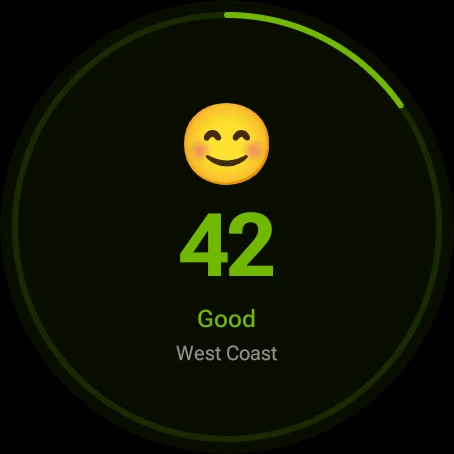
Understand the AQI with clear categories, expressive icons and practical context.
 AirWear.
Get AirWear
AirWear.
Get AirWear
EVERY BREATH MATTERS
An air quality app for Wear OS smartwatches.
Local AQI, watch-face complications and tiles.
A clearer picture of the air around you.
Made for Wear OS Free to start

01 Local air quality
02 Tiles & complications
03 Your favorite places PRO
A LITTLE CHECK THAT GOES A LONG WAY
Before your morning walk.
On your way to work.
When you’re deciding whether to open a window.
Keep the air around you in view.
Actual Wear OS screens. Readings shown are examples.
01 / CURRENT CONDITIONS
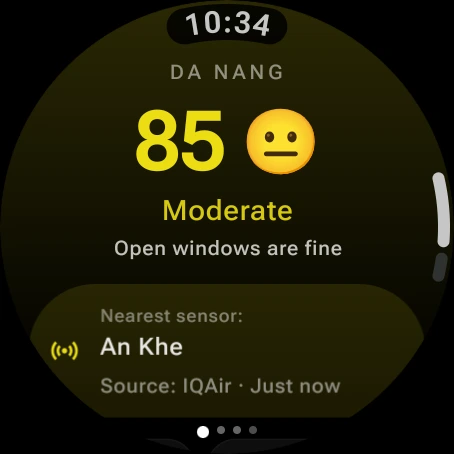
Check local air quality, see the nearest sensor and get a little context for your day. Clear colors make it easy to take in at a glance.
Understand the AQI with clear categories, expressive icons and practical context.
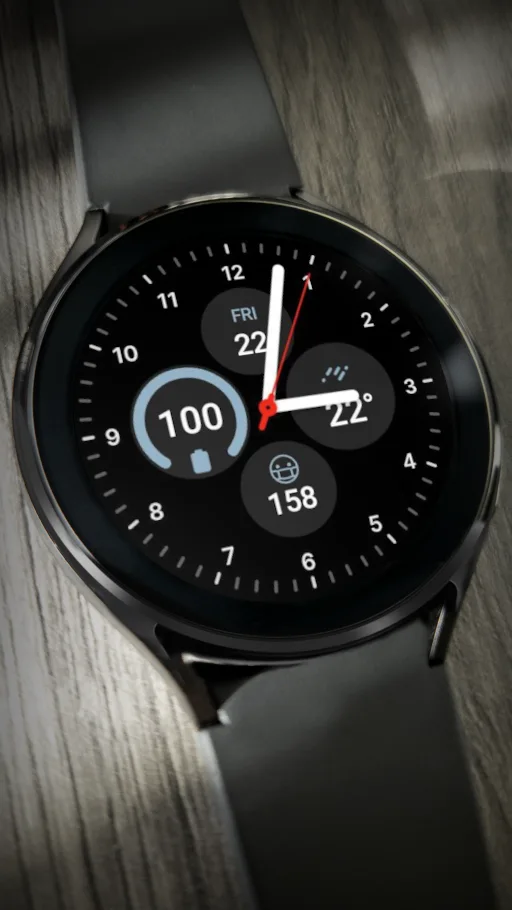
Add a tile or a complication to your watch face. Keep your AQI close without opening the app.
Readings from nearby sensors and multiple air-quality providers, with source and freshness in view.

AIRWEAR PRO A LITTLE MORE, FOR YOUR EVERYDAY
Your city. Your next adventure. Your family back home. A little more awareness, wherever life takes you.
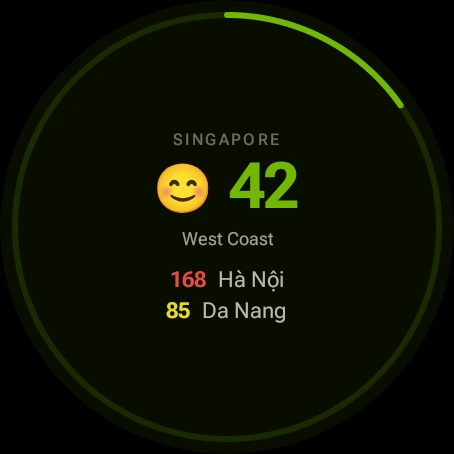
Track your favorite places alongside your current location.
Compare your locations with color-coded AQI readings.
More frequent updates and priority access to premium data sources.
Optional monthly or yearly subscription. Local prices are shown in the app.
DESIGNED TO BE GLANCED AT
A tile when you swipe.
A complication when you glance.
Clarity that fits your day.
AirWear is built for compatible Wear OS smartwatches. Check the Google Play listing on your watch to confirm compatibility. You need an internet connection for new air-quality readings.
Open Google Play on your Wear OS watch, search for AirWear and install it. Open the app and allow location access to find nearby air-quality readings. You can also use the AirWear Google Play listing to install it on a compatible watch linked to your Google account.
After installing AirWear, swipe from your watch face to the tile carousel. Use Add tile, or touch and hold a tile to open the editor, then choose AirWear. The tile shows local AQI; the Pro tile brings your saved locations together. Exact menus vary by watch.
Touch and hold your watch face, open Edit or Customize, and select a complication slot. Choose the AirWear AQI complication and save the watch face. Use a face with a compatible complication slot; available slots and menu names depend on the watch face.
Yes. Start with current-location air quality, the AQI tile and a watch-face complication. AirWear Pro adds saved locations, a multi-location tile and more frequent updates.
AirWear uses sources including AQICN, IQAir and OpenWeather. Availability depends on your area, nearby sensors and provider coverage. The app shows the source and freshness of your reading.
Different stations, measurement times and providers can produce different readings. Air quality can change across a city. Use the source, station and update time to put a reading in context.
Location is used to find nearby air-quality readings. Coordinates may be sent to the providers serving that request. Read our privacy policy for details about location, Firebase and diagnostics.
YOUR NEXT STEP STARTS WITH A GLANCE
Bring AirWear along for your next breath.